
Using devlanes? Please consider donating to support my open source work ❤️
Help devlanes grow! Star and share this amazing repository with your friends and co-workers!
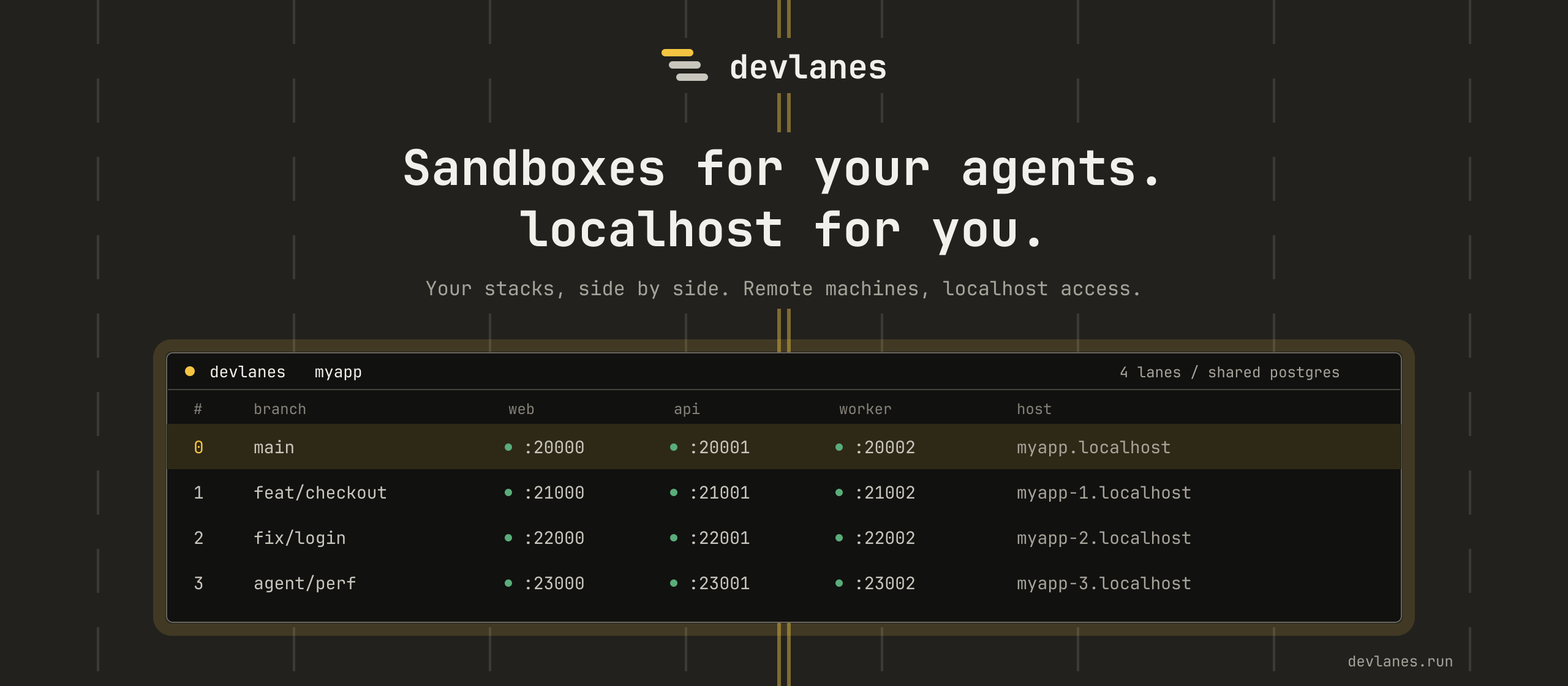


Sandboxes for your agents. localhost for you.
devlanes runs your dev stack once per Git worktree, so you and your coding agents can work on different branches at the same time. Each worktree gets a lane with its own ports, HTTPS hostnames and data. Lanes run on your machine or on a remote one, and open in your browser either way.
It runs on macOS, Linux and Windows 11, and it is in beta.
- A lane per worktree: the main branch at
myapp.localhost, a feature branch atmyapp1.localhost, each on its own ports. - HTTPS hostnames with certificates your browser trusts, and no port to remember.
- A database per lane: one Postgres container, and a database in it for each lane.
- Coding agents start, test and stop their own lane through a skill or an MCP server, and leave yours alone.
- Remote boxes: run the lanes on a VPS, a container or a codespace, and open them under the same hostnames.
- One daemon runs the processes, so they keep running after you close the terminal. A CLI and a TUI talk to it.
Paste this into your coding agent:
Install the devlanes skill:
npx skills add devlanes-run/devlanes --skill devlanes

Then install devlanes on this machine, set up everything it needs,
and help me port this project to devlanes from whatever runs it today.
Or install it yourself, with the package manager you already use:
brew install devlanes-run/tap/devlanes
npm install -g devlanes
uv tool install devlanes
Or with the install script, on macOS and Linux:
curl -fsSL https://devlanes.run/install.sh | shOn Windows 11:
irm https://devlanes.run/install.ps1 | iexInstall devlanes has the steps that follow the install.
You install it once. devlanes then keeps itself up to date in the background, without interrupting your work.
# devlanes.yaml
project: myapp

services:
  api:
    run_script:
      file: api/package.json
      name: dev
    hosts: "api.${{ lane.domain }}"
  web:
    preset: vite
    run_script:
      file: web/package.json
      name: dev
    env:
      VITE_API_URL: "${{ services.api.public_url }}"
    hosts: "${{ lane.domain }}"
devlanes startIn the main worktree this serves myapp.localhost and api.myapp.localhost over HTTPS. In a second worktree the same file serves myapp1.localhost and api.myapp1.localhost, on other ports.
The docs start with a tour that follows one project from a single service to lanes on another machine. devlanes --help lists the commands.
CONTRIBUTING.md covers building, testing and the design notes, and AGENTS.md has the conventions for people and agents working on the code.
Every commit on main that passes CI is published as the next build, so once your pull request is merged you can use it without waiting for a release. On macOS and Linux:
curl -fsSL https://devlanes.run/install.sh | sh -s -- --channel nextOn Windows 11:
iex "& {$(irm https://devlanes.run/install.ps1)} -Channel next"devlanes update then moves a next install to the latest build of main.
mprocs and dekit informed the terminal interaction. pitchfork, process-compose, devenv, Coasts, portless, kache, overmind and Conductor informed the process and worktree workflows.
Licensed under the Apache-2.0 License. See LICENSE for more information.